Mobile SEO Checklist: 15 Things to Fix Right Now
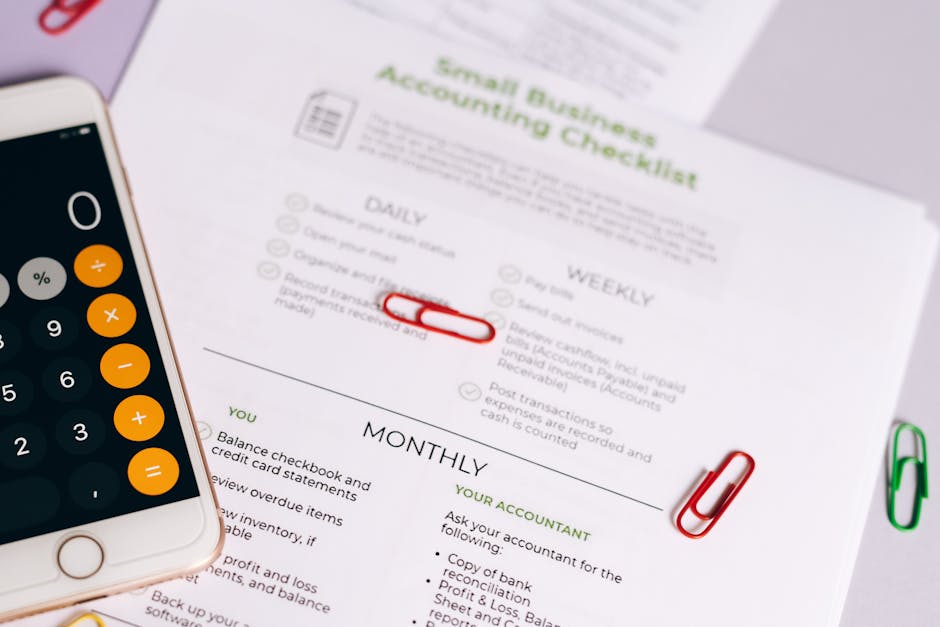
You believe your site is mobile-friendly, but you have no objective data. Guesswork does not work for SEO.
Google Search Central provides a free tool to test any URL. It will tell you if the page has mobile-friendliness issues. This is one of the most useful `mobile seo checklist tools`.
Test your key pages. The tool will flag issues like content wider than the screen or text that is too small to read. Fix any errors it identifies.
Slow-loading pages cause high bounce rates. Users will not wait more than a few seconds for your site to appear.
Page speed is a confirmed ranking factor for mobile search. A faster site leads to better engagement and higher rankings. This is a crucial part of any mobile seo checklist.
Use Google's PageSpeed Insights to analyze your load time. It provides a performance score and specific recommendations to make your site faster.
Section 2: On-Page and Experience Optimization
Tiny font sizes force users to strain their eyes or zoom in. This makes reading your content a chore.
A base font size of at least 16px is a standard best practice. Legible text keeps users on your page longer.
Set your body text to 16px or larger. Check that your headings are proportionally larger and easy to distinguish. This simple change dramatically improves user experience.
Buttons, links, and menu items that are too small or too close together are impossible to tap accurately with a finger. This leads to user frustration.
Google recommends tap targets be at least 48x48 pixels. This gives users enough space to interact with your site elements without errors. Following this step shows you know `how to do mobile seo checklist` a proper way.
Audit your buttons and links. Add padding to increase the clickable area without changing the visual design too much.
Complex, multi-level desktop menus do not work on mobile screens. They can obscure the entire page and are difficult to use.
A simple "hamburger" menu is a common solution. It keeps the navigation clean and accessible without overwhelming the user.
Consolidate your menu items. Prioritize the most important pages for your mobile navigation. The goal is to help users find what they need in as few taps as possible. A good mobile seo checklist always includes navigation.
Long, unbroken walls of text are intimidating on a small screen. Users are more likely to scan content on mobile.
Mobile content should be highly scannable. Use short paragraphs, subheadings, bullet points, and bold text to break up the content.
Our `Content Brief Generator` helps you structure content for mobile readers. It guides you to create SEO-optimized articles that are easy to digest on any device.
Section 3: Technical and Strategic Enhancements
Large, uncompressed images are often the biggest cause of slow mobile page speeds. They consume data and take a long time to load.
Modern image formats like WebP offer superior compression and quality. Compressing images is a quick win for performance.
Use an image compression tool to reduce file sizes without losing visual quality. Implement lazy loading so images load only as users scroll down the page.
Aggressive pop-ups that cover the main content create a poor user experience. Google may penalize sites that use them.
A pop-up for a legal reason (like a cookie consent banner) is acceptable. However, a large ad that blocks content on page load is not.
Review any pop-ups or banners on your site. Make them smaller and easy to dismiss. This is a key part of our mobile seo checklist to maintain trust.
Your business doesn't appear in "near me" searches. Mobile users looking for local services cannot find you.
Mobile search is often local. Optimizing for local queries is critical for brick-and-mortar businesses.
Our platform offers powerful `GEO optimization` features. We help you target specific locations to capture local search traffic. This includes optimizing your Google Business Profile and building local citations.
You are only tracking desktop rankings. You have no idea how your site performs on mobile search results.
Rankings can differ significantly between desktop and mobile. You need to track both to get a complete picture.
Use our `AI rank tracking` for Google, ChatGPT, Perplexity, and Gemini. It shows you exactly where you stand on mobile SERPs, so you can measure the impact of this mobile seo checklist.
You assume mobile and desktop users want the same thing. This leads to content that does not meet mobile users' immediate needs.
Mobile users often have a more urgent, action-oriented intent. They may be looking for a phone number, directions, or a quick answer.
Our `search intent analysis` tool helps you understand what mobile users are looking for. You can then create content that directly answers their questions. This is an advanced part of our `mobile seo checklist best practices`.
Your keyword strategy is based entirely on broad, desktop-focused terms. You miss out on conversational, long-tail mobile queries.
Mobile searches are often longer and more question-based. Voice search also contributes to this trend.
Use our `keyword clustering` feature to group related questions and long-tail terms. This helps you build a `topical authority map` that addresses mobile user queries effectively.
Your analytics setup does not separate mobile from desktop traffic. You cannot tell if your mobile optimization efforts are working.
You must segment your data. This allows you to track mobile bounce rates, conversion rates, and session durations.
SEO Intent's mobile tracking capabilities are built for this. Our dashboards make it easy to see how key metrics change after you implement this mobile seo checklist.
Why Choose SEO Intent For Your Mobile SEO Checklist?
We at SEO Intent don't just give you a generic list. We provide the tools to execute every item on this mobile seo checklist. Our platform was designed to give you a competitive edge in a mobile-first world. We combine powerful analytics with actionable recommendations.
From our `AI rank tracking` to our `content brief generator`, our features help you fix mobile issues fast. We offer `white-label reports` so agencies can show their clients clear progress. Using our platform turns this mobile seo checklist from a document into a dynamic growth strategy. We provide a complete suite of tools to manage your entire SEO workflow.
Master Your Mobile SEO Today

Fixing your mobile SEO is not a one-time project. It is an ongoing process of testing, measuring, and improving. This 15-point mobile seo checklist is your roadmap. By working through these items, you will create a better experience for your users. You will also send strong positive signals to Google.
Start with the foundational fixes and work your way up. Each improvement you make contributes to better rankings and more conversions. Work with SEO Intent—the platform that provides the tools you need to succeed. Get started by exploring our features on our `/pricing` page or `/register` for an account today.
Image Suggestions
FAQs Section
A: Yes. Our platform provides the data and tools needed for nearly every item. From our `AI rank tracking` to our `search intent analysis`, we guide you through each step of your `how to do mobile seo checklist` journey.Your Site Is Bleeding Mobile Traffic — Here's How to Stop It
We built this mobile SEO checklist at SEO Intent to give you 15 specific, actionable fixes — not vague suggestions. Work through these and you'll build a faster, cleaner mobile experience that both users and Google actually reward.
Why Mobile-First Indexing Changes Everything

Google indexes the mobile version of your site first. Not the desktop version. If your mobile experience is a stripped-down afterthought, you're fighting an uphill battle on rankings before a single search even happens.
This shift demands more than slapping a responsive theme on your site. It touches page speed, content structure, local targeting, and user experience. Every item in this mobile SEO checklist connects back to one goal — give mobile users what they need, fast.
Your 15-Point Mobile SEO Checklist
Section 1: Foundational Mobile-First Fixes
1. Confirm Mobile-First Indexing Status
- The Problem: You don't know whether Google crawls your site with a mobile or desktop bot. That uncertainty makes it impossible to prioritize the right fixes.
- Why It Matters: Your indexing status tells you exactly what Google values on your site. Check it in Google Search Console under "Settings."
- What to Do: Once you confirm your status, treat your mobile experience as the primary version of your site — not an afterthought.
- The Problem: Without a viewport tag, mobile browsers display your site at full desktop width. Users pinch and zoom just to read a sentence.
- Why It Matters: The viewport tag controls how a browser scales your page. It's one of the most basic requirements for mobile compatibility.
- What to Do: Add <meta name="viewport" content="width=device-width, initial-scale=1.0"> to the <head> of every page. One line of code. Massive difference.
- The Problem: You think your site looks fine on mobile. But feelings aren't data, and guesswork doesn't move rankings.
- Why It Matters: Google's free Mobile-Friendly Test gives you objective, URL-level results. It's one of the most useful mobile SEO checklist tools available at zero cost.
- What to Do: Test your highest-traffic pages first. Fix every flagged issue — especially content wider than the screen and text too small to read without zooming.
- The Problem: Slow pages kill conversions. Mobile users won't wait more than 3 seconds — most bail well before that.
- Why It Matters: Google confirmed page speed as a mobile ranking factor. Faster sites rank better and hold users longer. Full stop.
- What to Do: Run your key pages through Google's PageSpeed Insights. Prioritize the "Opportunities" section — those are your biggest wins.
- The Problem: Tiny text forces users to zoom in or give up. Neither outcome helps your bounce rate.
- Why It Matters: A base font size of at least 16px keeps reading effortless. Legible text keeps people on your page longer — and that's a signal Google tracks.
- What to Do: Set body text to 16px minimum. Make headings proportionally larger and visually distinct. Don't make users work to read what you wrote.
- The Problem: Tiny buttons and links that sit too close together are maddening to tap. Users misclick, get frustrated, and leave.
- Why It Matters: Google recommends tap targets of at least 48x48 pixels. Anything smaller creates friction — and friction kills conversions.
- What to Do: Audit every button and link. Add CSS padding to increase the tappable area without reworking your visual design.
- The Problem: Multi-level desktop menus collapse into unusable chaos on a 6-inch screen. They bury your content and frustrate your users.
- Why It Matters: Clean navigation gets users to the right page faster. Fewer taps mean less frustration — and lower bounce rates.
- What to Do: Cut your menu down to the 5-7 most important pages for mobile users. A hamburger-style menu works well when it's not hiding 30 links.
- The Problem: A wall of 800 words with no breaks looks terrible on a phone. Mobile users scan — they don't read like they're at a desktop.
- Why It Matters: Scannable content holds attention. Short paragraphs, subheadings, bold callouts, and bullet points do the heavy lifting on small screens.
- What to Do: Our Content Brief Generator at SEO Intent structures content for exactly this — SEO-optimized articles that read well on any screen size.
- The Problem: Uncompressed images are usually the single biggest drag on mobile page speed. A 4MB hero image will tank your load time every time.
- Why It Matters: Smaller files load faster. Modern formats like WebP deliver sharper images at a fraction of the file size compared to older JPEGs.
- What to Do: Run all images through a compression tool before uploading. Add lazy loading so images only load when a user scrolls to them.
- The Problem: A full-screen pop-up that blocks your content on page load is one of the fastest ways to earn a Google penalty.
- Why It Matters: Google explicitly penalizes intrusive interstitials on mobile. Beyond rankings, they destroy the first impression you make on new visitors.
- What to Do: Replace large pop-ups with smaller banners that are easy to dismiss. Cookie consent notices are fine. Full-page ad overlays aren't.
- The Problem: Your business doesn't show up in "near me" searches. Mobile users hunting for local services can't find you.
- Why It Matters: Most local searches happen on mobile. If you run a physical location or serve specific areas, local optimization isn't optional — it's survival.
- What to Do: Our platform's GEO optimization features help you target specific locations, strengthen your Google Business Profile, and build local citations that actually move the needle.
- The Problem: You're tracking desktop rankings only. That's half the picture — and not the more important half anymore.
- Why It Matters: Mobile and desktop rankings can differ significantly for the same keyword. You need both data sets to make smart decisions.
- What to Do: Use our AI rank tracking across Google, ChatGPT, Perplexity, and Gemini. You'll see exactly where you stand on mobile SERPs — not just desktop.
- The Problem: You treat mobile and desktop users as the same audience. They're not. Mobile users want answers fast, and they're often ready to act right now.
- Why It Matters: Someone searching on their phone for "emergency plumber near me" isn't browsing — they're buying. Your content needs to match that urgency.
- What to Do: Our search intent analysis tool breaks down what mobile users actually want when they search. Build content around their immediate needs, not just keyword volume.
- The Problem: Your keyword strategy targets broad, desktop-friendly terms. You're missing the conversational, long-tail queries that dominate mobile and voice search.
- Why It Matters: Mobile users search in full questions — "what's the best running shoe for flat feet under $100" not just "running shoes." Voice search pushes this even further.
- What to Do: Our keyword clustering feature groups related questions and long-tail terms. Pair it with our topical authority map to cover the full range of what mobile users ask.
- The Problem: Your analytics lumps mobile and desktop together. You have no idea whether your mobile optimizations are actually working.
- Why It Matters: Mobile bounce rates, session duration, and conversion rates can look completely different from desktop. You can't fix what you don't measure.
- What to Do: SEO Intent's mobile tracking dashboards separate these data streams clearly. You'll see exactly how each metric moves after you work through this checklist.
2. Configure the Viewport Meta Tag
3. Run Google's Mobile-Friendly Test
4. Audit Your Page Speed
Section 2: On-Page and Experience Optimization
5. Optimize Font Sizes for Readability
6. Increase Tap Target Sizes
7. Simplify Your Navigation
8. Create Mobile-Focused Content
Section 3: Technical and Strategic Enhancements
9. Compress Images
10. Eliminate Intrusive Interstitials
11. Optimize for Local Mobile Searches
12. Check Mobile Keyword Rankings
13. Analyze Mobile User Intent
14. Structure Keywords for Mobile Behavior
15. Track Mobile Performance Separately
Why SEO Intent Gives You an Edge Here
A checklist is only useful if you have the tools to act on it. We built SEO Intent so you don't have to stitch together 10 different platforms to fix your mobile SEO.
Our AI rank tracking shows your mobile SERP position across multiple search engines. Our Content Brief Generator structures articles for mobile readers from the start. Our GEO optimization features put you in front of local mobile searchers who are ready to convert. And our white-label reports let agencies show clients clear, measurable mobile progress — not just a spreadsheet of guesses.
We're not neutral on this. We think most SEO platforms underserve mobile. SEO Intent doesn't.
Don't Let Another Month of Mobile Traffic Walk Out the Door
Start with the foundational fixes. Run the mobile-friendly test, set your viewport tag, and audit your page speed. Those three steps alone can shift your rankings within weeks.
Then work through the experience and technical layers. Each fix compounds. A faster site with readable text, clean navigation, and locally-targeted content sends a clear signal to Google — this site works on mobile.
Ready to put this mobile SEO checklist to work? Check out our features on the /pricing page or /register for an account today and start tracking real mobile gains.
See your AI Overview exposure and citation rate in one dashboard.
Start tracking your GEO score free → — know exactly which queries have AI Overviews above your rankings and whether you’re being cited.
Frequently Asked Questions
What's the most important part of a mobile SEO checklist?
Page speed and user experience, without question. A fast-loading page with readable fonts and easy navigation beats everything else. Google follows user behavior — and users leave slow, cluttered sites immediately.
How do mobile SEO fixes differ from desktop SEO?
Mobile SEO puts speed, scannability, and local intent at the center. Screen space is limited, so navigation needs to be leaner. Local targeting through tools like our GEO optimization feature also matters far more on mobile than desktop.
Where can I find free mobile SEO checklist tools?
Google's PageSpeed Insights and Mobile-Friendly Test are both free and genuinely useful starting points. For tracking, auditing, and content strategy in one place, SEO Intent pulls those functions together so you're not jumping between tabs.
How long before I see results from these fixes?
Technical fixes like image compression and page speed improvements can show results within 2-4 weeks. Content and experience changes typically take 2-3 months to influence rankings. Start with the quick wins and don't stop.
Does SEO Intent help with the whole checklist?
Yes — nearly every item in this checklist connects to a feature in our platform. From AI rank tracking to search intent analysis to local targeting, we built SEO Intent to cover the full workflow, not just one piece of it.
SEOintent Team
We build tools for AI-era SEO — search intent classification, keyword clustering, and AI citation tracking. Questions? hello@seointent.com
Ready to rank in Google and AI search?
SEOintent classifies keyword intent, builds content clusters, and tracks your AI citations — automatically.
Start free trial →